
Create Stunning Digital Signage with Our Intuitive Content Designer
The Intuitive Content Designer is a comprehensive tool within the firmChannel's digital signage software platform that allows users to create and manage digital signage content effortlessly. It features a user-friendly interface with drag-and-drop functionality, a wide range of customizable templates, and support for various media types, making it accessible for users of all skill levels.
Overview of firmChannel’s Intuitive Content Designer
The Intuitive Content Designer is a cornerstone of firmChannel’s software platform, offering a user-friendly interface that empowers users to create, customize, and deploy engaging content effortlessly. Designed for both beginners and experienced users, the Content Designer simplifies the creation process with drag-and-drop functionality, customizable templates, and a variety of media support.
Simple and User-Friendly Interface for Effortless Digital Signage Creation
- Intuitive Layout:The Content Designer features a clean, intuitive layout that makes navigation easy, even for those with no technical background.
- Drag-and-Drop Tools:Users can simply drag and drop elements such as text, images, videos, and widgets into their design workspace.
- Live Preview: See your content come to life in real-time with a live preview feature that allows you to make adjustments on the fly.
Effortless Drag-and-Drop Tools for Designing Digital Signage
- Ease of Use: Simplify your design process with drag-and-drop tools that enable you to easily place and arrange content elements.
- Customizable Elements: Drag-and-drop not only simplifies placement but also allows for easy resizing and customization of content elements.
- Interactive Widgets: Add interactive widgets like clocks, weather updates, and social media feeds to make your content more dynamic.
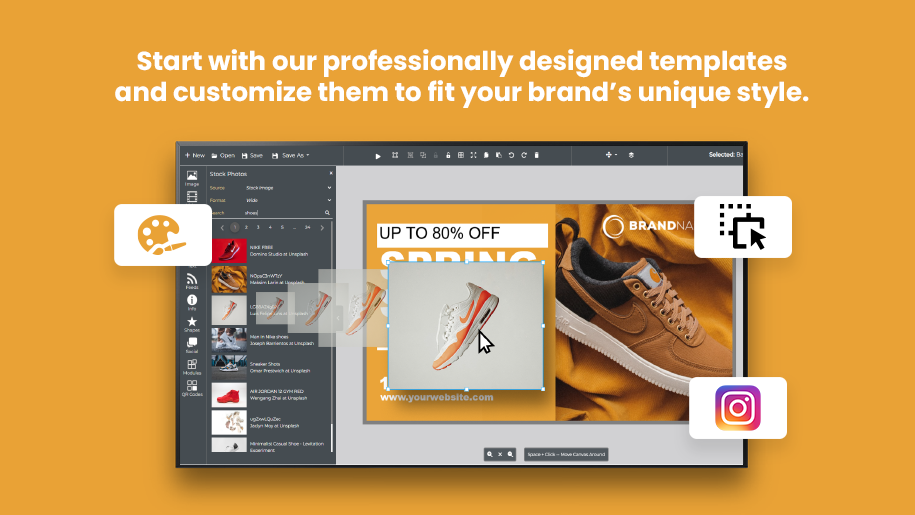
Professionally Designed and Fully Customizable Templates for Digital Signage
- Professional Quality: Access a library of professionally designed templates tailored for various industries and use cases.
- Customization Options: Each template can be customized to fit your brand’s unique style, ensuring consistency and professionalism.
- Ease to Use: Templates are designed to be user-friendly, allowing even non-designers to create polished content quickly.
Seamless Integration of Multiple Media Types in Digital Signage Content
- Audio Files: Integrate background music or voiceovers to enhance your digital signage with sound.
- Documents: Display important documents and notices with ease, ensuring your audience gets all the necessary information.
- Images: Use high-resolution images to capture attention and convey your message visually.
- Videos: Incorporate engaging videos to keep your audience entertained and informed.
- Web Pages: Embed live web pages to provide real-time updates and interactive content.











FAQ
Frequently Asked Questions (FAQs)
What types of media can I use with the Intuitive Content Designer?
How easy is it to use the Intuitive Content Designer if I have no design experience?
Can I customize the templates in the Content Designer to match my brand?
Is there a way to preview my content before deploying it?
Can I add interactive elements to my content?
Request a demo today!
Explore how firmChannel’s Intuitive Content Designer can revolutionize your signage experience. Request a demo today to see our digital signage software in action and learn more about our powerful features.