
FAQs
Get answers to common questions about firmCHANNEL as well as our products, services, and partner program.

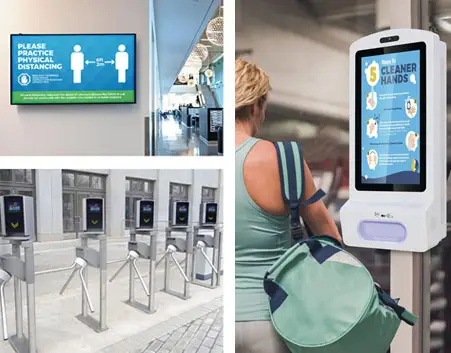
Frequently asked questions about firmCHANNEL screens and media players.
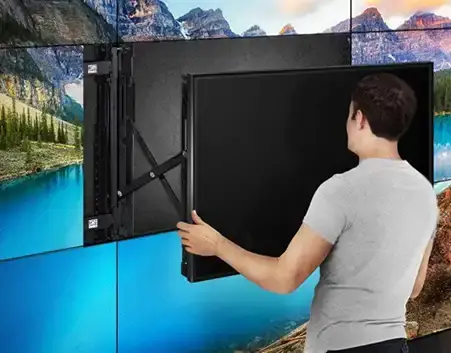
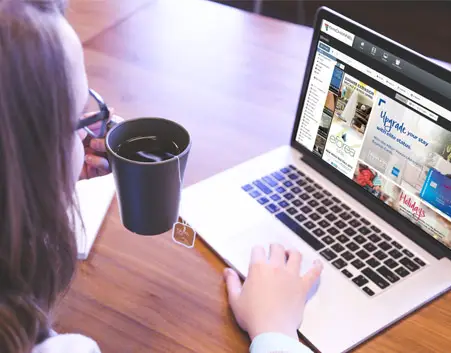
Support-related frequently asked questions about firmCHANNEL's products and services.
Platform FAQs
Get answers to common questions about firmCHANNEL's content management platform for digital signage solutions.
Where is my information stored?
The security of your information is of utmost important to us. We store and host all of your content utilizing the largest and most secure cloud infrastructure. Your content is encrypted both while at rest and in transit. For more information, please request a copy of our Data Privacy Policy.
How can I determine if my player is connected?
Our platform continuously monitors your network at intervals you determine, to ensure all your players are online. You can view the status of any media player using our simple to use player dashboard. You can also set alerts that will inform you by email when a player is offline for a pre-determined length of time.
If the connection is lost do I need to physically reboot the player in order to re-connect?
A physical reboot of a media player is very rarely required. Should you need to reboot a player, as long as there is connectivity, this can typically be accomplished remotely via the player dashboard.
What types of files do you support?
The system supports a number of different file formats. Some of the most popular are: JPEG/JPG, PNG, GIF, TIFF/TIF, MP3, MP4, MPG, MPV.
Can your digital signage display content such as RSS feeds, social media feeds, weather feeds, etc?
Yes, our Content Designer makes it easy to add RSS News Feeds, social media feeds, and weather feeds.
Can your digital signage display a web site?
Yes, our Content Designer makes it easy to display web site content on any display.
What if I want to stream content that is not currently supported?
We can accommodate almost any streaming content. If there is something that is unsupported, we have an open API that will typically allow for integration with any external feed.
How do I see what assets a media player has downloaded and what is/was playing on my screen?
This is done very simply with a Proof of Playback Report. You will be able to see what content played on which player and when. Furthermore, there are detailed logs available for all downloaded content.
How do I access the FirmCHANNEL platform?
Our CMS platforms are SaaS based (web-based) application that can be accessed through any web browser on any device.
How do you update content that is playing on a display?
Uploading content to any display is as simple as dragging and dropping your content from your media library into an active playlist or directly to a specific media player from within the Content Manager.
How much storage do I get with the platform?
There is no physical limit to the amount of online storage available for content storage in your library. Scheduled content can be uploaded ahead of time, so when the scheduled time arrives, the content will automatically play.
How many users can access the platform?
As part of your platform license, you can grant as many user’s access as you like. Each user can be assigned a security policy based on Roles-based security. Access by group can be limited base on predetermined security profiles.
Can I assign access to certain features or limit access for specific users?
Each user access can be limited to certain features such as content upload, assigning content, and network status. You can also limit users to specific zones in a layout. Our CMS systems fully support roles-based security. These are both a security and a workload distribution feature.
Is there a maximum number of endpoints that I can have under one account?
firmCHANNEL is a cloud-based enterprise-grade Content Management System that will scale to an unlimited number of endpoints. We have individual networks with thousands of endpoints. In addition to an unlimited number of endpoints, the firmCHANNEL platform supports all your hardware solutions including displays, video walls, and kiosks under one platform. firmCHANNEL provides a solution that will grow with your organization.
Can I use my own media player with your software?
firmCHANNEL’s hardware is commercial grade which ensures optimal security and performance. If your hardware can be configured to meet those security and performance standards, then it’s possible to use your existing media player. We provide a retrofit service certification program for 3rd party hardware that will confirm that your media player(s) meets minimum standards to correctly run our playback software. The first step is to contact us to review your hardware setup and determine the most appropriate course of action.
How often should I change my content?
Content strategies can vary greatly based on a wide variety of different factors such as industry type, product/service, message detail, physical placement locations, type/purpose of signs, and many more. As part of firmCHANNEL’s turnkey solution, we will work with your organization to determine how often you need to update your content.
Can I create content within the system?
Yes, your CMS license includes a Content Designer that makes it easy to create engaging content. You can also easily import content created externally. Should you require creative services, firmCHANNEL has an in-house creative team that can help with your design needs. Our Content Designer allows users to use an existing template or custom design template to arrange how and where content from your library will be displayed on the screen(s). The configurations can be as simple as a single static image that takes up the entire screen or a complex combination of many different types and sizes of content that make up the full display.
Can I show videos on one screen and images on another screen in the same network?
Our content management system allows you to assign any content to any screen via the playlist for that screen. Different screens can play the same content or different content, in sync or independent of each other. You can assign a playlist to a single display or a playlist that makes up any number of displays.
On multi-screen displays, can I show different content on each screen or does it have to be the same?
Our content management system makes it easy to manage screens independently or to display content across any number of displays in almost any configuration.
Can I show one piece of content on one part of a screen and a different piece of content on another part of the same screen at the same time?
Our Content Designer allows you to layout your content into different regions or zones within a single display or multiple displays. Each region or zone can display different content, including mixing different content types such as videos and images. You can have several different independent content areas on each display.
Hardware FAQs
Get answers to common questions about firmCHANNEL's digital signage and media player hardware solutions.
What kind of displays can I use for digital signage?
firmCHANNEL recommends using ONLY commercial grade digital signs. Commercial displays are specifically designed to be used as digital signs, including 24/7 usage, brightness and contrast, portrait or landscape modes, and three-year warranties. Consumer displays are not designed for this type of high visibility always-on usage.
Can one media player control multiple screens or an entire video wall?
We have media players designed for varying numbers of displays. Our Android based media players are perfect for 1 display, while our Windows based media player is suitable for up to 3 displays. We also have purpose-built video wall media players that can handle anywhere from 4 to 28 displays in any configuration (ie: 1x4, 2x2, 3x3, 4x4, 5x5).
Does the media player always need an internet connection?
No, your content is cached locally on the media player. The only exception would be where content is live streamed from an external server such as a stock ticker or live news/weather feed.
What is the difference between a normal video wall and a mosaic video wall?
Mosaic video walls are a cluster of displays that are of differing sizes and orientations, whereas standard video walls are clusters of displays that are all of the same size and orientation. firmCHANNEL has controller solutions for each option and our Content Designer supports multiple display configurations.
Do you support custom display configurations such as mosaic video walls?
Yes, we have mosaic video wall controllers available and our Content Designer supports multiple display configurations, including mosaic video walls. mosaic video walls.
Can I use my own or an existing media player with your software?
We support almost any modern Windows 10 based media player and we will work with many Android 7 or higher based media players. We can assist with testing your current media player hardware prior to deploying. We recommend our commercial-grade media players which are purpose-built with hardened operating systems that are specifically designed for 24/7 operation and the rigors of daily usage.
Services FAQs
Get answers to common questions about installing firmCHANNEL products.
Installation
Do all installs require a site survey?
No. For any basic display installation, we can work with your on-site team to review the requirements to ensure quick and professional implementation. Site surveys do assist with identifying physical requirements such as proper mounting surfaces and power availability are met. Additionally, site surveys can provide feedback for other considerations such as placement location options and angles for optimum impact and visibility.
Where is the best place to install digital signage within my facility?
In addition to site survey information about the physical location, our team will work with your organization to understand your audience, foot traffic patterns, and communication goal(s) to determine the ideal digital signage location.
What is your on-site installation geographical location coverage?
firmCHANNEL is a global company and can support installations around the world via an extensive partner channel.
How long will it take to install?
Installation time depends on the size and complexity of the project, but a typical installation usually requires 2-4 hours.
Retrofit Services
Can I use my own or an existing media player with your software?
We support almost any modern Windows 10 based media player and we will work with many Android 7 or higher based media players. We can assist with testing your current media player hardware prior to deploying. We recommend our commercial-grade media players which are purpose-built with hardened operating systems that are specifically designed for 24/7 operation and the rigors of daily usage.
Content Creation
Do you have content creation packages available?
As a full turnkey digital signage solutions provider, firmCHANNEL can provide content creation services to help your organization maximize the creative power of your digital signs. Our team of inhouse designers have experience designing specifically for digital signs and will work with your marketing team to understand and realize your brand and organizational communication goals.
Custom Development
What if I want to stream content that is not currently supported?
We can accommodate almost any streaming content. If there is something that is unsupported, we have an open API that will typically allow for integration with any external feed.
Training and Support
Does your solution include support?
firmCHANNEL offers an all-in-one license fee which includes software setup, training, and ongoing support. Our objective is to fully train you on the platform to ensure your organization is fully utilizing your digital signage network. If required, please contact firmCHANNEL Support by phone or email. Support hours are 9 am-9 pm EST from Monday to Friday.
Do you provide training on your content management software?
Yes, as part of the onboarding process, our support team will schedule online training to walk your team through the entire platform. If you have any additional questions after the initial training, our team would be happy to schedule additional training at no extra cost.
Do I get a warranty on the hardware and software?
Yes, firmCHANNEL stands behind all of our products. We provide a 3-year warranty on all our displays and Windows-based media players, which is extendible to 5 years. Our Android media players come with a 1-year warranty extendable to 3 years.
If I’m not satisfied with the service, can I cancel at any time?
All firmCHANNEL services are offered on a yearly subscription basis. If, for any reason, you are not completely satisfied with any of our products or services, please contact support and we will make it right!
Is there a setup fee?
No, firmCHANNEL’s an all-in-one license fee includes software setup, training, and ongoing support.
Do you support custom display configurations such as mosaic video walls?
Yes, we have mosaic video wall controllers available and our Content Designer supports multiple display configurations, including mosaic video walls.
What types of files do you support?
The system supports a number of different file formats. Some of the most popular are: JPEG/JPG, PNG, GIF, TIFF/TIF, MP3, MP4, MPG, MPV.
If connection is lost do I need to physically reboot the player in order to re-connect?
A physically reboot of a media player is very rarely required. Should you need to reboot a player, as long as there is connectivity, this can typically be accomplished remotely via the player dashboard.
Support FAQs
Get answers to common questions about firmCHANNEL customer, partner, and product support.
Does your solution include support?
firmCHANNEL offers an all-in-one license fee which includes software setup, training, and ongoing support. Our objective is to fully train you on the platform to ensure your organization is fully utilizing your digital signage network. If required, please contact firmCHANNEL Support by phone or email. Support hours are 9 am-9 pm EST from Monday to Friday.
What services are NOT included in the all-in-one license fee?
firmCHANNEL has several service options such as creative services and custom app development that may not be included but are available if a partner needs them. Rates for those services are quoted based on a scope of work request.
What happens if internet access is lost?
Your content is cached on the locally on the media player so it will continue to play, even without an internet connection. The only exception would be where the content is live-streamed from an external server such as a stock ticker or live news/weather feed. In the case of a loss of internet access, your digital sign will still run all your existing content currently in your media player’s memory until the connection is restored.
Do you provide training on your content management software?
Yes. As part of the onboarding process, our support team will schedule online training to walk your team through the entire platform. If you have any additional questions after the initial training, our team would be happy to schedule additional training at no extra cost.
Do I get a warranty on the hardware and software?
firmCHANNEL stands behind all our products. We provide a 3-year warranty on all of our displays and Windows-based media players, which is extendible to 5 years. Our Android media players come with a 1-year warranty extendable to 3 years.
How long does it take for my screen to update?
Updates can be pushed to a media player in near real time or can be scheduled at various intervals.
If I’m not satisfied with the service, can I cancel at any time?
All firmCHANNEL services are offered on a yearly subscription basis. If, for any reason, you are not completely satisfied with any of our products or services, please contact firmCHANNEL Support and we will make it right!
How do I get the latest version of the software?
Our team of in-house developers is constantly working on improving the platform, and we release updates and improvements periodically. Updating is done automatically. All updates are included with your annual subscription.
Do you have content creation packages available?
Yes. As a full turnkey digital signage solutions provider, firmCHANNEL makes content creation services available to help your organization maximize the creative power of your digital signs. Our team of inhouse designers have experience designing specifically for digital signs and will work with your marketing team to understand and realize your brand and organizational communication goals.
Is there a setup fee?
No. firmCHANNEL's all-in-one license fee includes software setup, training, and ongoing support.