
Custom RSS & MRSS Feeds for Digital Signage | Real-Time News & Multimedia Content
Custom RSS and MRSS Feeds in firmChannel’s platform refer to the integration of external content feeds that provide dynamic updates on various topics. RSS (Really Simple Syndication) is commonly used for news and text-based content, while MRSS (Media RSS) is designed for media-rich content, including videos and images. By integrating these feeds into your digital signage, you can ensure that your displays are always updated with fresh, relevant, and engaging content.
Integrate Custom RSS & MRSS Feeds for Dynamic Signage Content
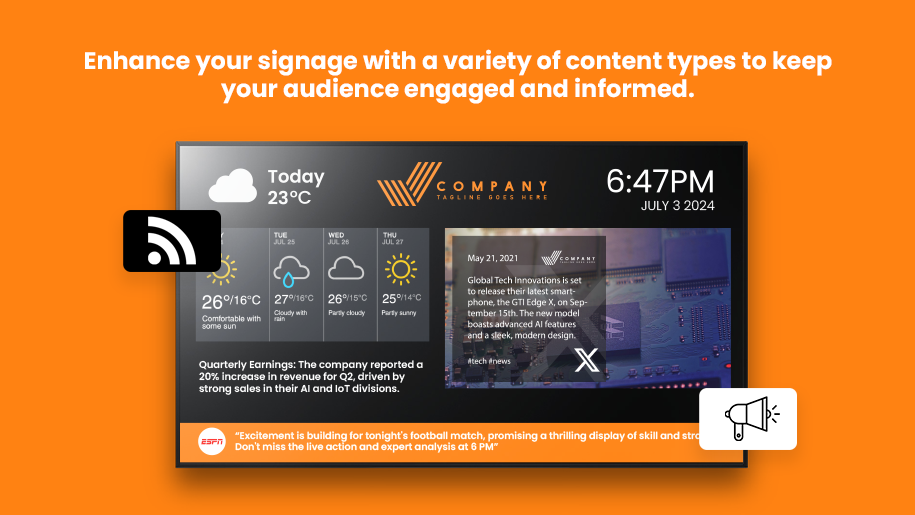
firmChannel’s Custom RSS and MRSS Feeds integration provides you with the flexibility to incorporate a wide range of dynamic content into your digital signage. By leveraging RSS (Really Simple Syndication) and MRSS (Media RSS) feeds, you can keep your displays updated with the latest news, infotainment, sports, financial information, weather, traffic, and much more. This feature allows you to enhance the relevance and engagement of your digital signage by delivering fresh, up-to-date content tailored to your audience’s preferences.
Access News, Sports, Financial & Entertainment Feeds
- Diverse Content Sources: With firmChannel’s Custom RSS and MRSS Feeds, you can access a vast array of content sources, including local, regional, and national news outlets, infotainment providers, sports channels, financial data feeds, weather services, and traffic reports. This diversity ensures that your digital signage content is always relevant and engaging, catering to the varied interests of your audience.
- Infotainment and Interactive Content: In addition to news and information, you can integrate infotainment content such as trivia, clips, “On This Day” facts, and quotes, adding an interactive and entertaining element to your displays.
Seamlessly Embed RSS & MRSS Feeds with Customizable Layouts
- Simple Setup: Integrating custom RSS and MRSS feeds into your digital signage is straightforward with firmChannel. Simply drag and drop the RSS or MRSS widget onto your canvas, enter the feed name, and choose the desired layout. This user-friendly setup process allows you to quickly and easily customize your content to suit your specific needs.
- Flexible Display Options: firmChannel provides various layout options for displaying RSS and MRSS feeds, ensuring that the content fits seamlessly into your overall signage design. Whether you want a ticker at the bottom of the screen, a sidebar, or a full-screen display, you have the flexibility to choose the format that best suits your content and audience.
Real-Time Updates with Multimedia for Engaging Displays
- Dynamic Updates: Custom RSS and MRSS feeds automatically update in real-time, ensuring that your digital signage always displays the most current information. This feature is especially valuable for content that changes frequently, such as news, weather, and financial data.
- Content Personalization: Tailor the content to your audience by selecting specific feeds that align with their interests and needs. This personalized approach increases engagement and ensures that your messaging is always relevant.
More Social Media Video & Data Feeds
Social Video







Social Media Posts


Corum Feeds







FAQ
Frequently Asked Questions (FAQs)
What is the difference between RSS and MRSS feeds?
How do I integrate a custom RSS or MRSS feed into my digital signage?
Can I customize the appearance of RSS and MRSS feeds on my signage?
What types of content can be delivered via RSS and MRSS feeds?
How frequently are RSS and MRSS feeds updated on firmChannel?
Request a demo today!
Enhance your digital signage content with firmChannel’s Custom RSS and MRSS Feeds. Request a demo today to see how our platform can keep your displays dynamic, informative, and engaging.